Skip to content
Dashboard

You stay the editor.

One dashboard per store, with everything Label writes in plain view: what it says, what shoppers asked, how it looks and sounds, and what it costs.

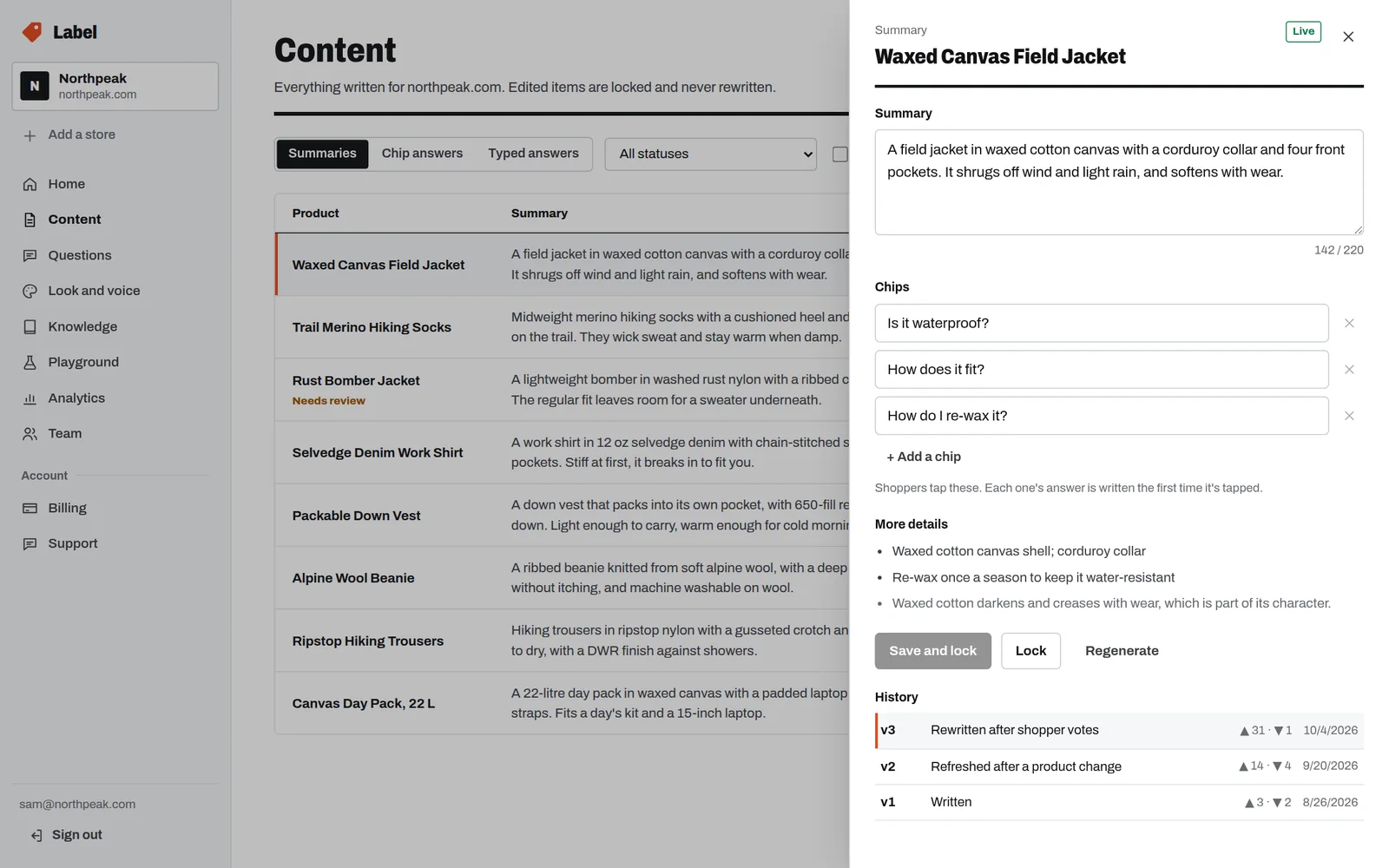
The Content page with the Waxed Canvas Field Jacket's summary open: its text, suggested questions, details, and a history of three versions.
Fig. 1Content, with a summary open for editing. Sample store and data.
01

Content

Every summary and answer Label has written, by product.

  • Edit

    Change any summary, its suggested questions, or an answer. Saving locks it: Label never rewrites it, and votes never drop it.

  • Review

    When a product changes under something you locked, it’s marked Needs review, so nothing goes out of date quietly.

  • Rewrite

    Ask for a fresh version of anything that isn’t locked. Each item keeps its history: what changed, why, and how shoppers rated it.
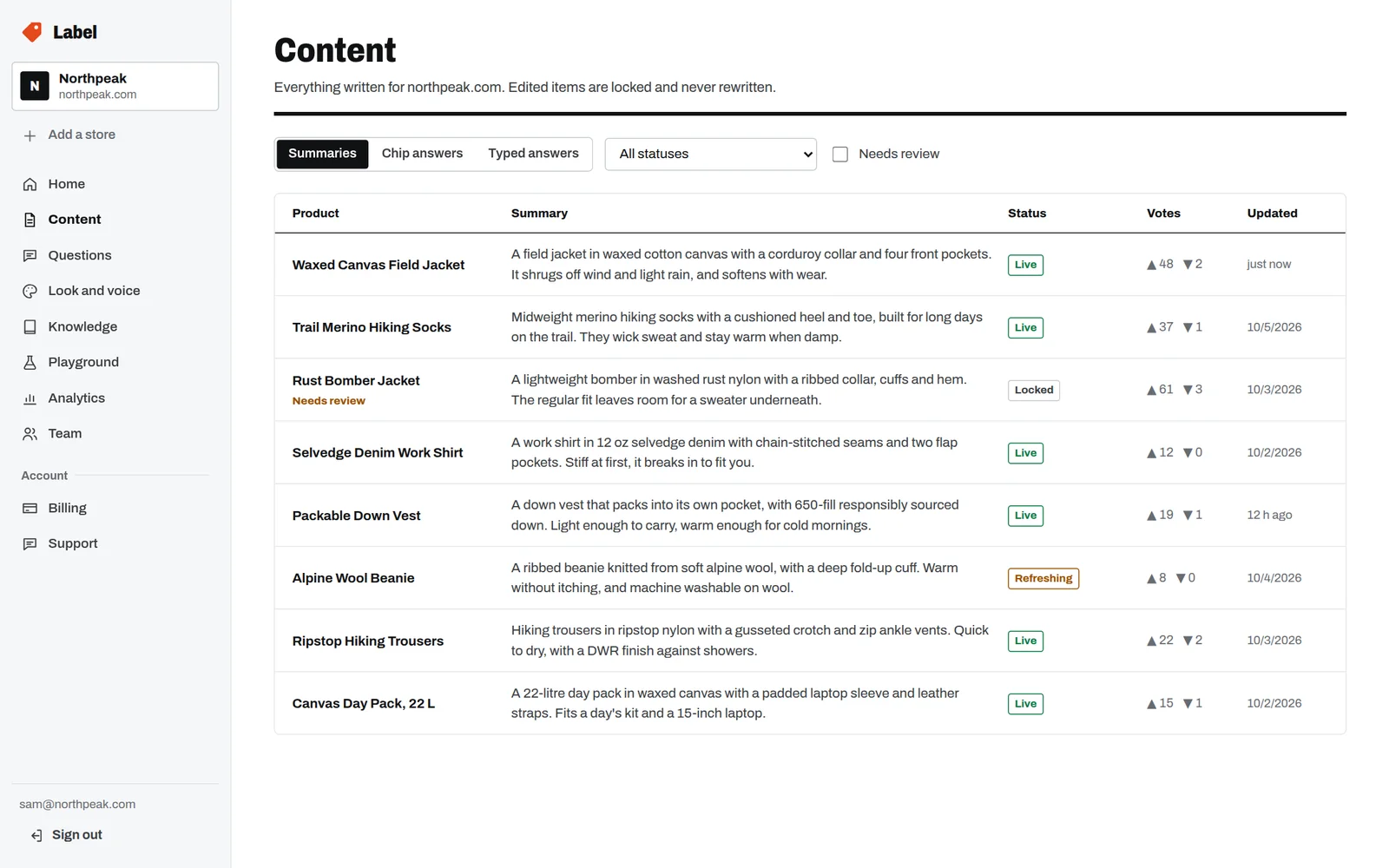
A table of product summaries with Live, Locked and Refreshing statuses and helpful and not-helpful counts.
Fig. 2Content: every summary with its status and shoppers’ ratings. Sample data.
02

Questions

What shoppers ask, and what your data couldn’t answer.

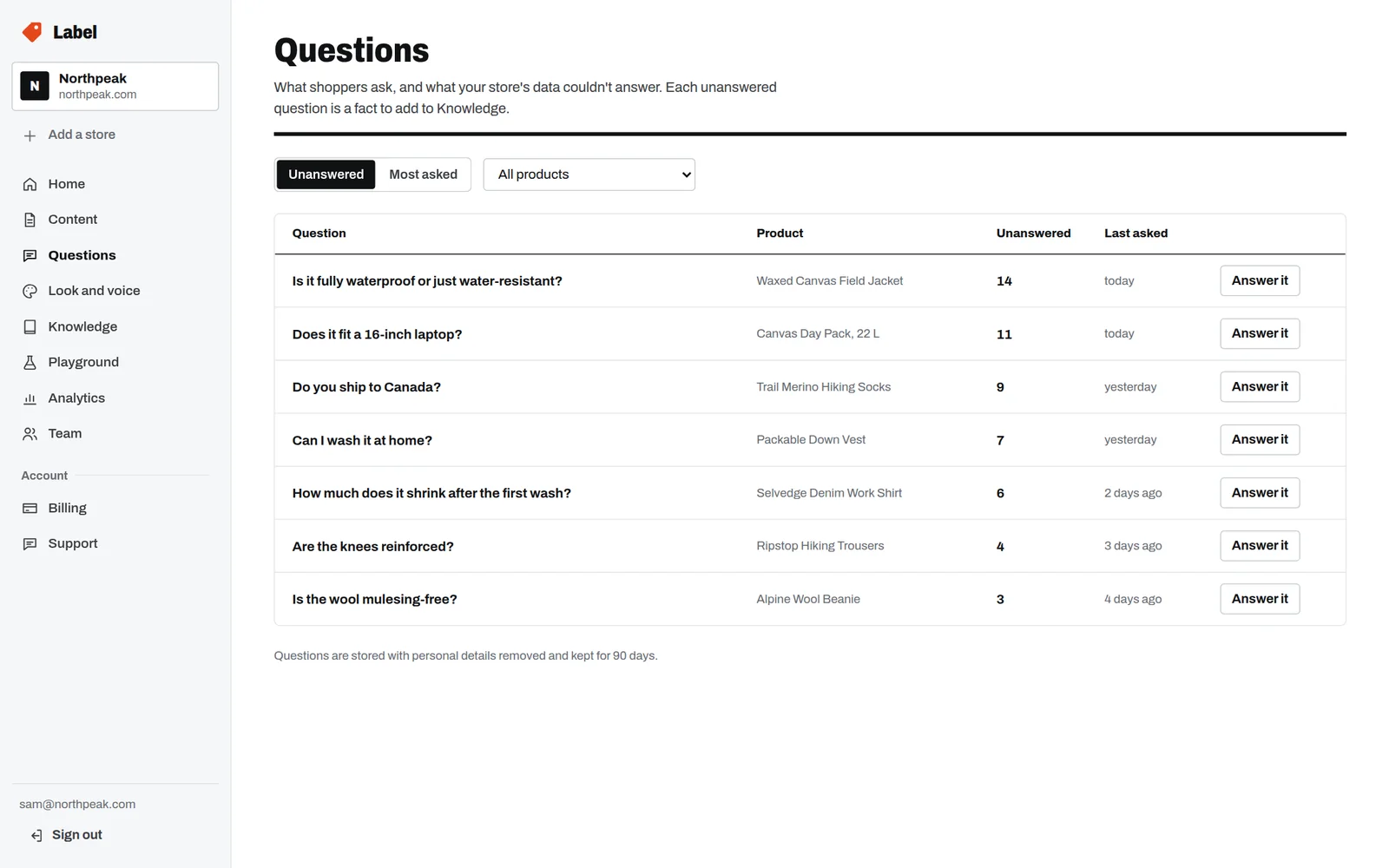
Every question your store’s data couldn’t answer is listed, most asked first, with the product it was asked about. Each one is a fact to add once: answer it from the list and it goes into Knowledge, where every product it applies to can use it.

A list of unanswered shopper questions with how many times each was asked and an Answer it button.
Fig. 3Unanswered questions, most asked first. Sample data.

Questions are stored with personal details removed, and kept for 90 days.

03

Look and voice

How it sounds and how it looks, changed in a draft and published when you’re ready.

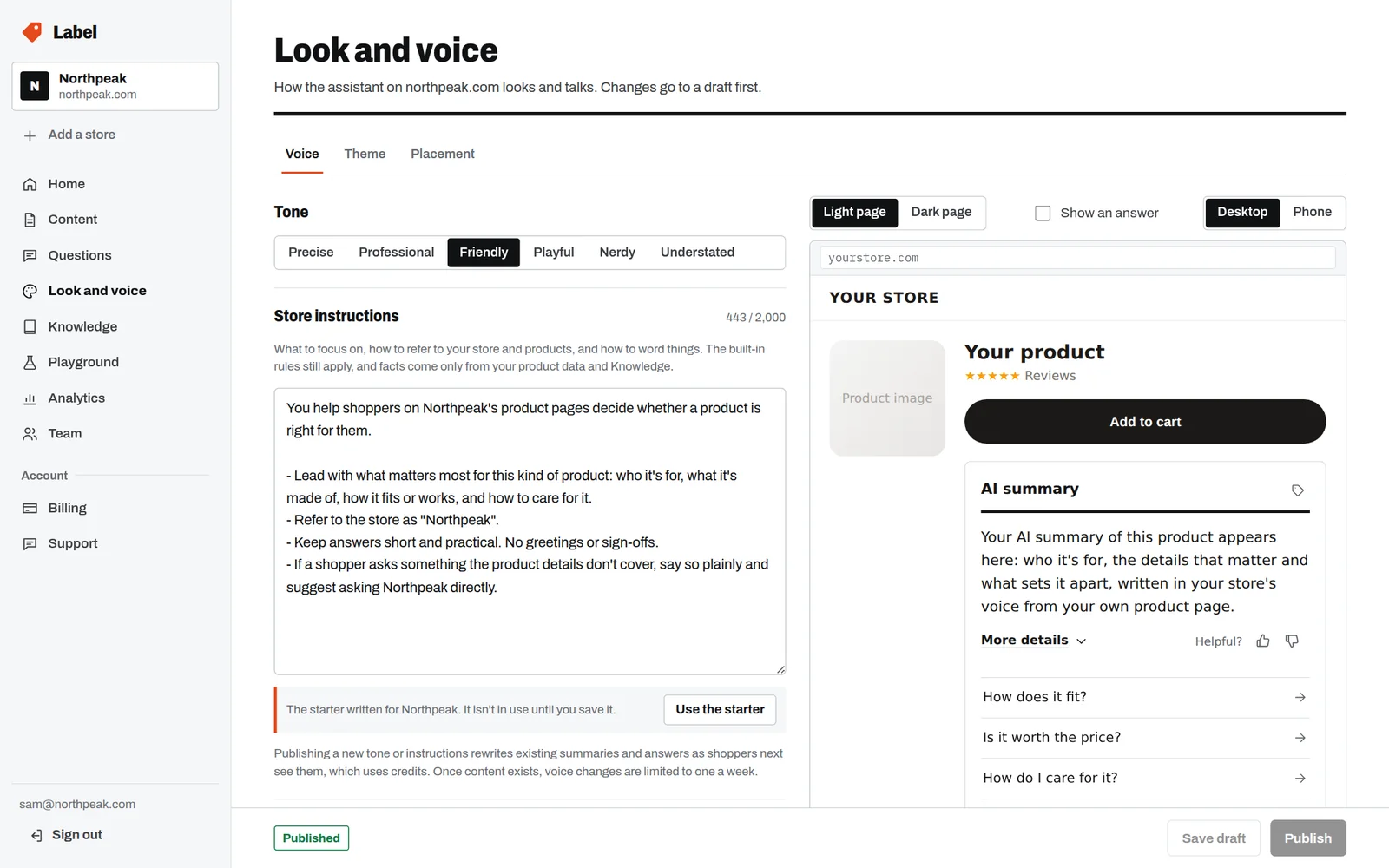
  • Tone

    From Precise to Playful. The tone changes how things are said, never what’s claimed.

  • Store instructions

    What to lead with, what to call things, what to steer towards. Label writes a starter for your store to edit.

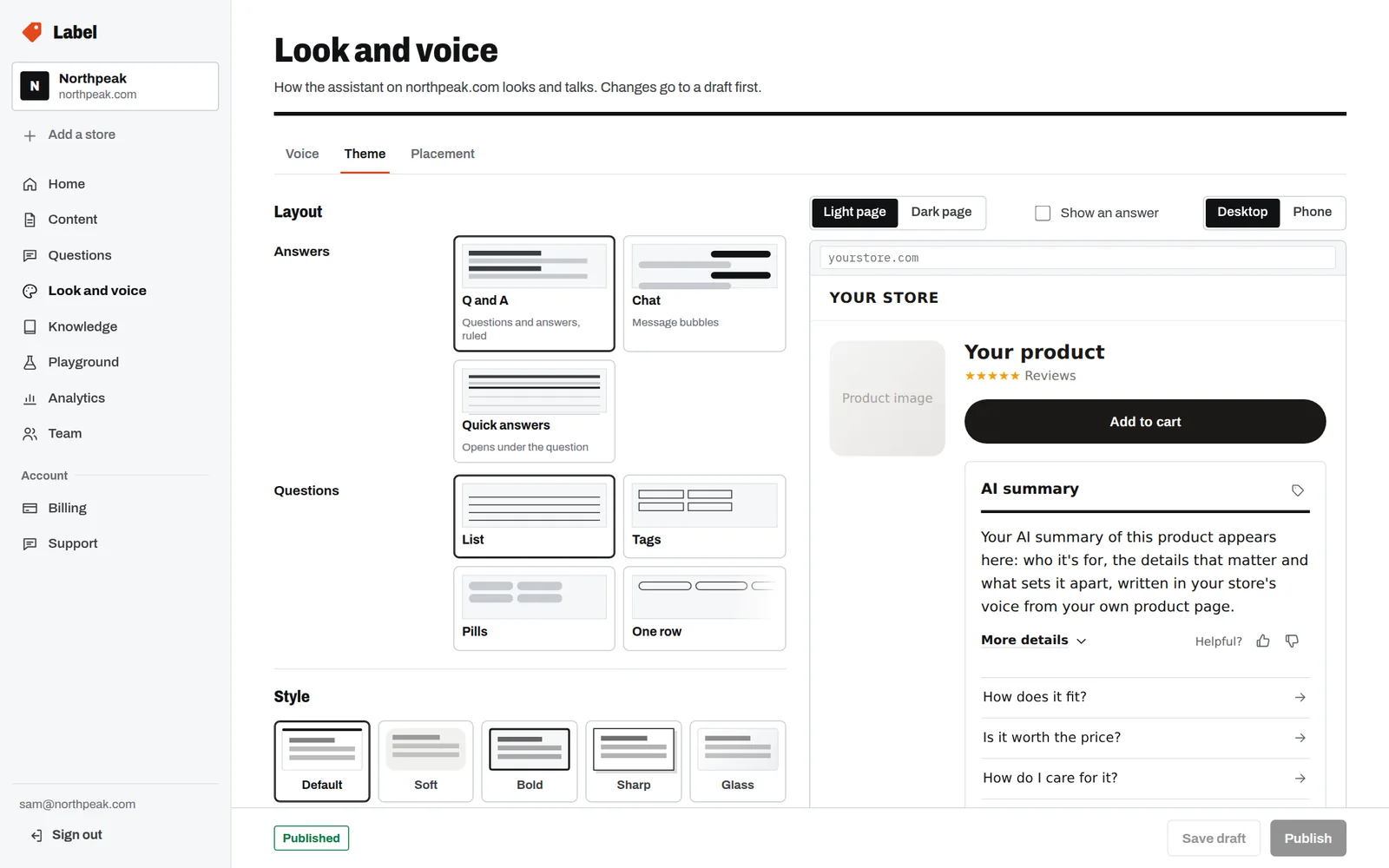
  • Theme designer

    Colors, type, corners, spacing, how answers and questions are laid out, and where it sits, with the real widget beside the controls.

The Voice tab with a tone picker set to Friendly and the store's instructions.
Fig. 4Voice: tone and store instructions.
The Theme tab with answer and question layouts, five styles, and a live widget preview.
Fig. 5Theme: layouts and styles, with the live widget.
04

Knowledge

The facts that apply across your store, written once.

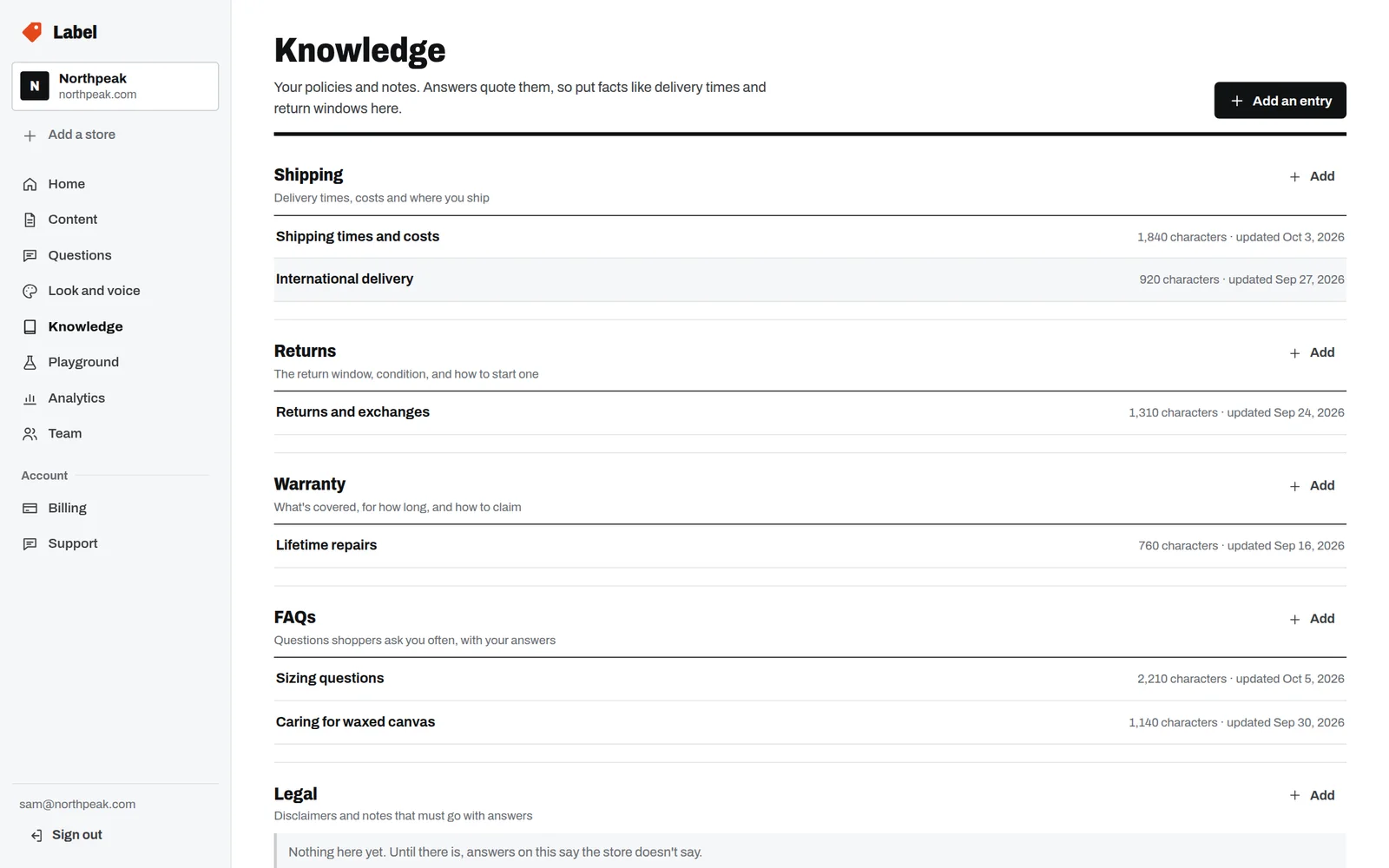
Shipping, returns, warranty, FAQs, legal notes and brand notes. Label quotes them wherever they help answer a question, and says so: From the store’s policies. Change an entry and the answers that used it are refreshed.

Knowledge entries under Shipping, Returns, Warranty and FAQs, each with its length and when it was updated.
Fig. 6Knowledge, by section. Sample data.
05

Playground

Try it on any product, with your draft or live settings, before shoppers see a word.

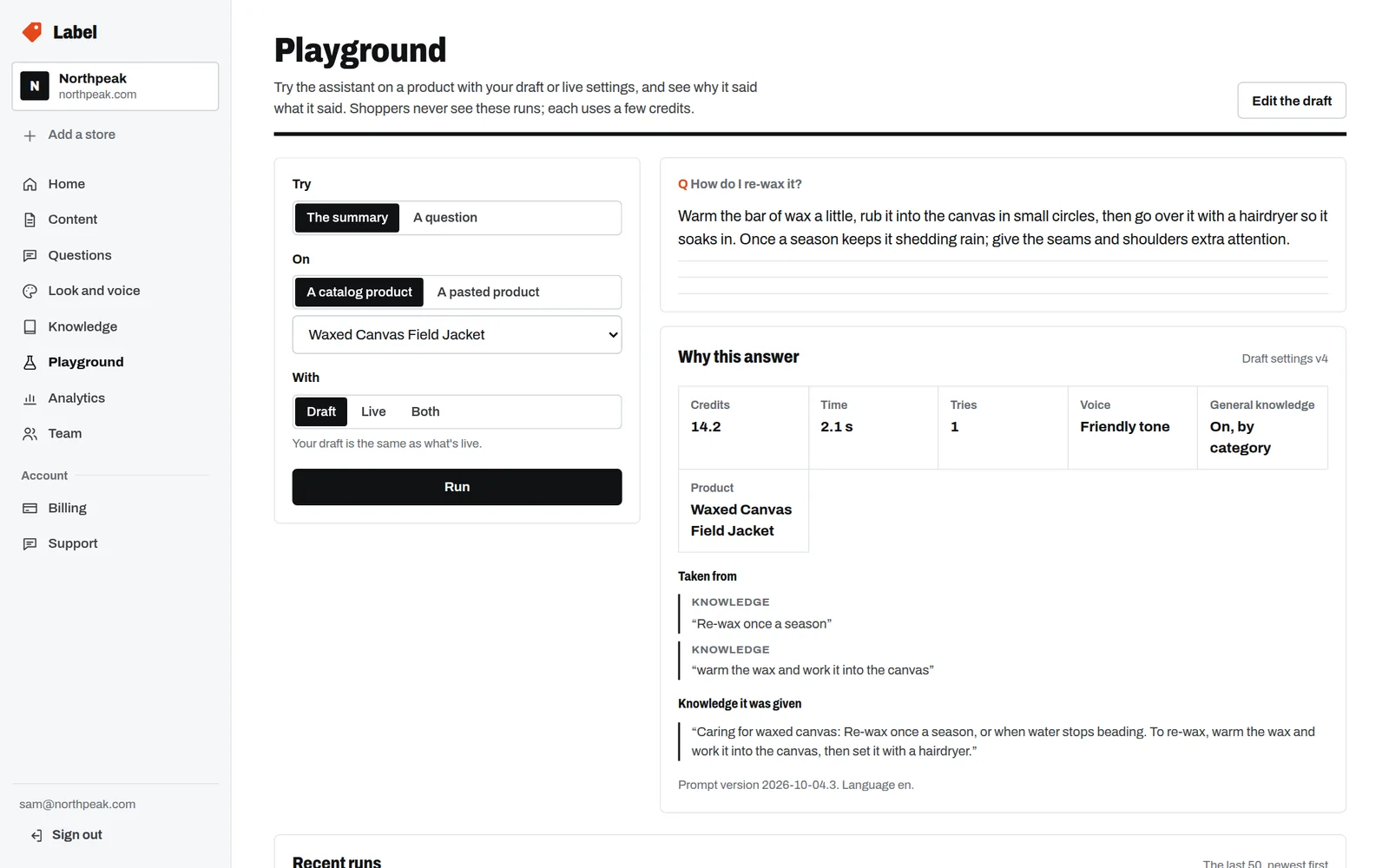
Pick a product from your catalog or paste one in, then ask for the summary or a question. Each run shows why this answer: what it cost, how long it took, the voice and general-info setting it used, and exactly what it quoted from your store.

The Playground showing an answer about re-waxing a jacket, with credits, time, voice and the knowledge it quoted.
Fig. 7A question tried with draft settings, and why it was answered that way. Sample data.

Shoppers never see playground runs, and they’re never cached. Each run uses a few credits.

06

Analytics

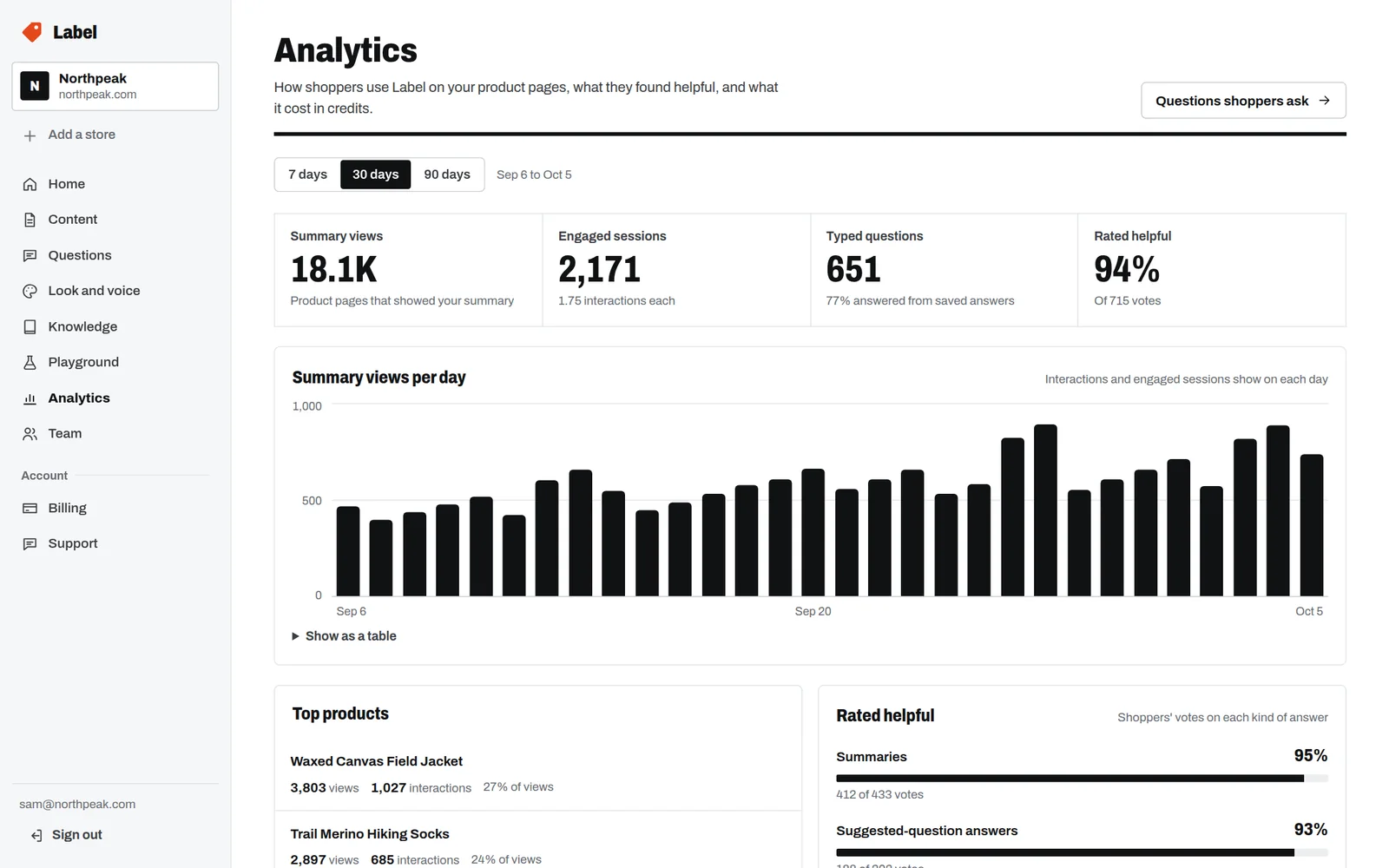
How shoppers use it, what they found helpful, and what it cost.

  • Summary views, engaged sessions and typed questions, over 7, 30 or 90 days.
  • The products shoppers use it on most.
  • How each kind of content is rated.
  • How many typed questions were answered from what was already written.
  • Credits by what was written, so cost is never a surprise.
Analytics: 18.1K summary views, 2,171 engaged sessions, 651 typed questions, 94% rated helpful, and a daily chart.
Fig. 8Analytics over 30 days. Sample data.
07

Team

Everyone signs in as themselves; their role decides what they can change.

  • Owner

    Everything, including plans and billing.

  • Admin

    Everything an editor can do, plus the team.

  • Editor

    Content, knowledge, look and voice, and publishing.

  • Viewer

    Sees everything, changes nothing.

08

Your account

One account for all your stores, each with its own plan.

Add a store and it gets its own dashboard, settings and plan. Billing, invoices and support live at the account level, apart from each store’s content. Questions for us go through the dashboard’s Support page, and our replies come back there.

Read every word before it goes live.

Your trial starts with the dashboard, the playground and your own products.